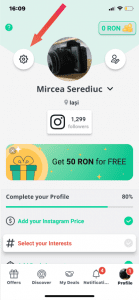
1. Open the FameUp app, go to Profile and access the Settings section.
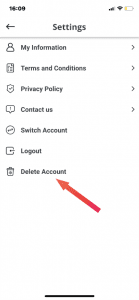
2. Go to the Delete Account page
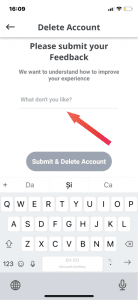
3. Once on that page, give an answer on why you want to delete your account.
4. Submit your answer and tab the Submit & Delete Account button.
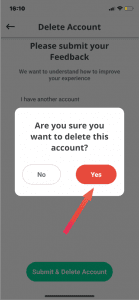
5. Confirm the permanent deletion of your account and data on FameUp.